

 VALORANT
Phantom, Vandal, or Warden: Which VALORANT Rifle is Best?
Here’s a guide to the pros and cons of every main VALORANT Rifle, so you can pick whether the Phantom, Vandal, or Warden is best for you.
25 Sept 20265 min
ValorantGUIDESHere’s a quick tutorial on how to upgrade VALORANT skins in 2026 to unlock new color chromas, VFX, and finisher animations.
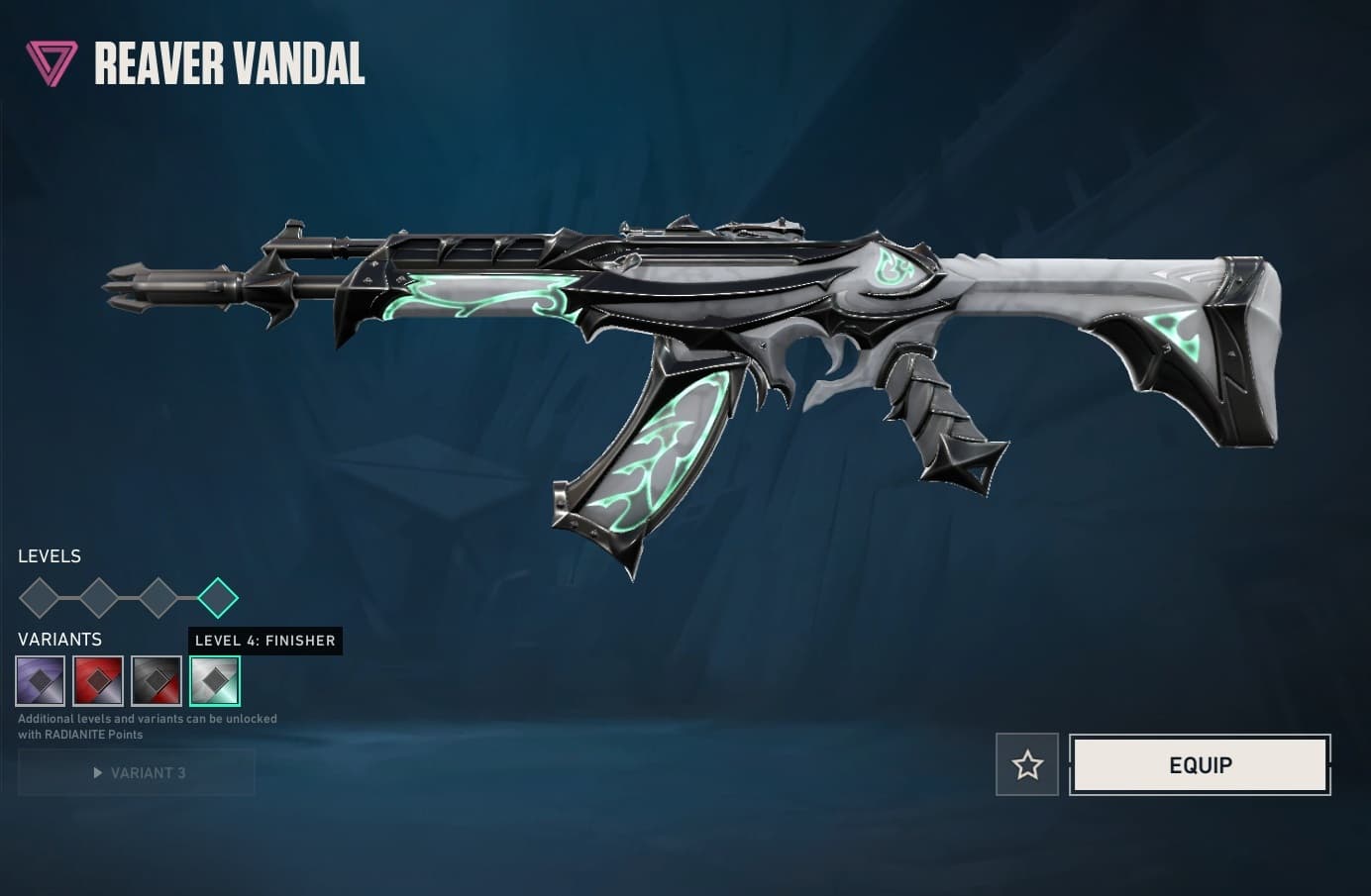
You can upgrade VALORANT skins to unlock new animations. Image Credits: Riot Games via in-game screenshot
Are you wondering how to upgrade your VALORANT weapon skin in 2026? We’ve got you covered. Whether you want to unlock a new color variant or flex with a Tier 4 Finisher animation, here’s a full guide on how to unlock your cosmetic’s full potential.
When you buy a weapon skin in VALORANT, you just buy the base cosmetic. Usually, you pay for this in the in-game shop with VALORANT Points, Riot Games’ premium currency. However, the flexing grind doesn’t end once you pick up a new skin: you can upgrade many VALORANT items with better graphics and new color chromas.
Upgrading a skin can unlock fresh animated VFX, like flames coming out of your weapon. It can also unleash a unique Finisher animation, which pops up on the map after you win a round.
Most VALORANT bundles with a Vandal or Phantom in them are upgradeable. For example, the Champions skin sets are a pretty safe bet.
(Video Credits: @Meox via YouTube)
Upgrading VALORANT weapon skins and cosmetics costs Radianite Points (RP). This is a premium currency that won’t buy you specific weapons or items, but will help improve the ones you have.
You can usually only get VALORANT Radianite Points through paid methods. The most popular ways to grab this currency are:
The Battlepass usually gives players small amounts of RP if they purchase the Premium track. This costs 1,000 VP, or about 10 USD. Typically, you’ll get 10 RP per Battlepass tier. Most VALORANT weapon upgrades also cost 10 RP a pop, so think of each reward as a voucher for one improvement.
You can also exchange VALORANT Points (VP) for RP in the in-game currency shop. You can access this by clicking on the little R logo inside a circle on the top right of your home screen. A pop-up should come up, showing you the currency conversion prices. Sometimes, Riot Games discounts this, so make sure to keep checking. At the time of writing, you can get 20 RP for 1,600 VP (about 20 USD).
If you don’t have enough VP to convert, you can buy it by clicking the little V icon on the top right of your screen. You can also gift your friends VP, as VALORANT sells gift cards with codes to redeem online.
To upgrade your favorite VALORANT skin, follow this quick tutorial:

It’s important to note that upgrade prices stack. Even if you just want the Finisher animation on Level 4, you’ll have to upgrade all the levels before it, costing more RP.
Stay tuned for more VALORANT esports and in-game news, plus plenty more handy guides!
VALORANTHere’s a guide to the pros and cons of every main VALORANT Rifle, so you can pick whether the Phantom, Vandal, or Warden is best for you.
 VALORANT
Riot just revealed the VALORANT Champions 2026 skin bundle, including a phantom and a fan. Here’s everything to know, plus a release date.
 VALORANT
Let’s recap everything about VALORANT Champions Shanghai’s opening day, including how to watch, co-hosts, and what to expect.