Best Mouse Sensitivity SettingsBest VALORANT settingsEsportsGUIDESRiot games
Finding the best mouse sensitivity settings in VALORANT. Image credit: Riot Games
Ask ten Valorant players what the best sensitivity is and you will get ten different answers. That is because there is no single perfect number but there is a perfect range and a simple way to find your own spot inside it. We have spent hundreds of hours in Valoran and have also changed our sensitivity more times than we like to admit. So here’s our detailed guide for the best VALORANT mouse sensitivity settings, along with simple instructions to figure out the right eDPI and DPI.
What Are DPI, Sensitivity and eDPI in VALORANT?
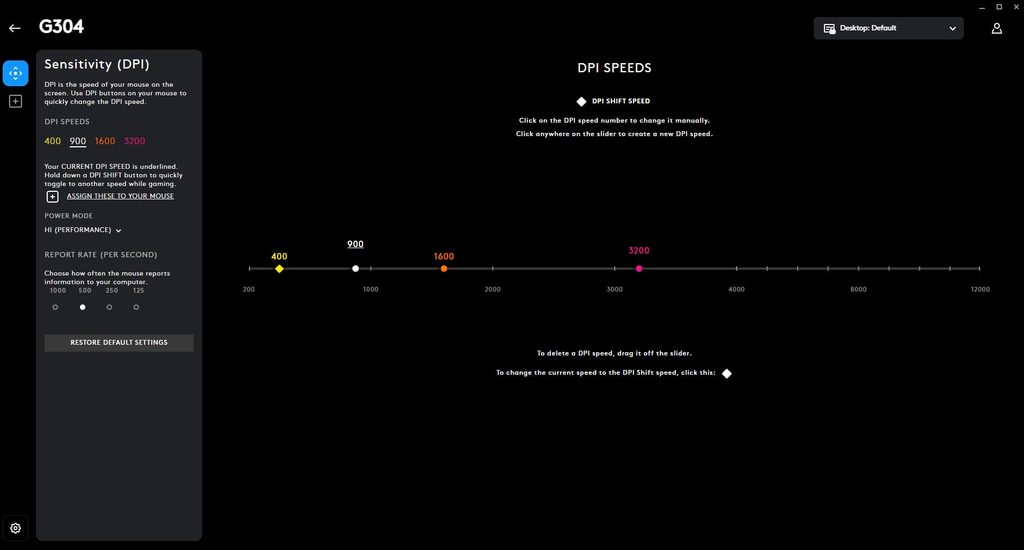
Adjusting DPI/eDPI in Logitech Gaming software. Image credit: Logitech
Before we pick numbers, let’s clear up the basics.
DPI (Dots Per Inch) is how sensitive your mouse is at the hardware level. A higher DPI means your cursor moves farther when you move your hand a little.
In-game sensitivity, on the other hand, is the setting inside Valorant that multiplies your mouse movement. Finally, eDPI (Effective DPI) is the number that actually matters and you get it by multiplying the two.
Here’s a look at the formula:
eDPI = DPI × In-game sensitivity.
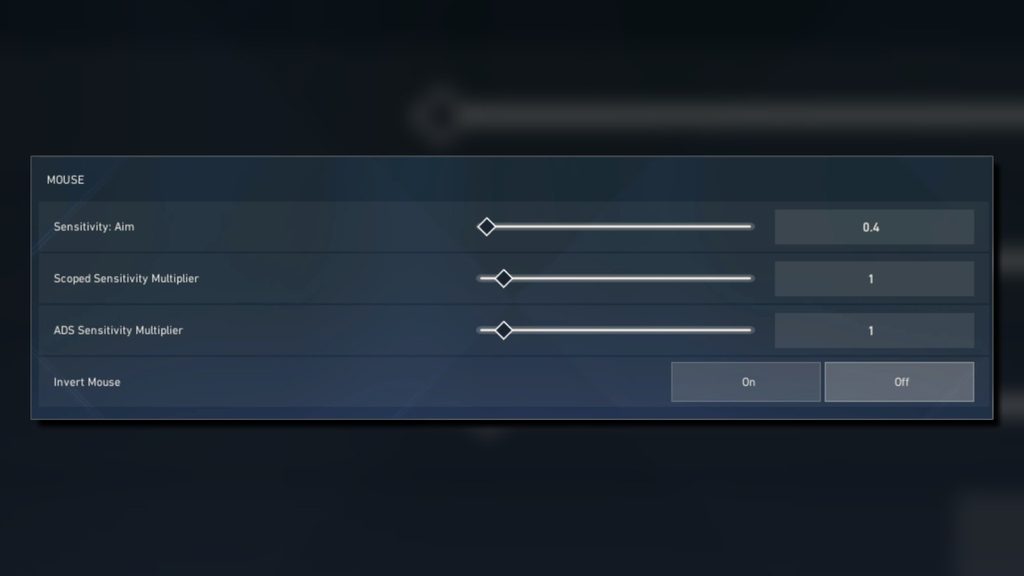
For example, 800 DPI × 0.4 sensitivity gives us 320 eDPI.
Why Does eDPI Matter?
Now the real question is why eDPI even matters when everyone is focusing only on mouse sensitivity settings. The short and simple answer is two players can use different DPI and sensitivity values and still have the exact same feel. Generally, eDPI makes things simple and easier for you by letting you compare your setup with anyone else’s including pro players.
While this is not a hard and fast rule, it is considered a sweet spot for many and we have experienced the same throughout our extensive hours of gameplay.
Here is a table showcasing a quick breakdown:
eDPI Range
Style
Best For
100–200
Very low
Players who want max precision and have lots of desk space
200–300
Low
Most players because of a great balance of control and speed
300–400
Medium
Players who like quick flicks and fast turning
400+
High
Wrist aimers or those who like fast movement
Our Experience
When we first started, we played at around 600 eDPI as it felt “fast and cool.” However, there was a huge drawback to this eDPI: our crosshair was moving all over the place and our aim kept snapping. We then tried dropping to about 280. It felt slow for two days so we did practice sessions in the Range to get used to the new eDPI. Surprisingly, our headshot rate went up noticeably after a few days of gameplay.
What DPI Should You Use in VALORANT?
Before we answer this question, it’s worth noting that we’re talking about DPI, not eDPI, as the two are different from each other. If you don’t remember the key difference between them, you can also take another look at the formula above.
Coming back to the question, we highly recommend 800 DPI mainly because it’s the standard for most professional players and most importantly, works well with nearly every gaming mouse.
The best part is that it avoids the jitter some mice experience at very high DPI settings. Most sensitivity guides and calculators also use 800 DPI as their baseline so if you’re trying out a new FPS title or shooter in the future, you can easily convert your VALORANT sensitivity and get started without much hassle.
Alternatives
Some players use 400 DPI and that is fine too. However, the difference is tiny. It is important to note that we do not recommend going above 1600 DPI because you gain nothing at such a high rate and you may lose some smoothness on certain sensors, especially the ones in budget gaming mice.
One tip we learned the hard way and one you should keep in mind no matter which FPS title you are playing is this: set your DPI once and then leave it alone. If you want to adjust your settings, do all your fine-tuning in the game’s sensitivity setting instead, because mixing the two makes everything confusing.
Low Sensitivity vs High Sensitivity: Which Is Better in VALORANT?
Adjusting mouse sensitivity settings in VALORANT. Image credit: Riot Games
Honestly, neither one is better in any situation as both come with some clear trade-offs.
We often think high sensitivity makes us better players because the crosshair feels so much quicker but that is simply not true. Instead, it can make things messy, especially when you go above 400 eDPI as we mentioned earlier. We have to admit, though, that it feels great in close-range fights because we can flick around corners and spin 180 degrees without even lifting the mouse which can honestly be a hassle at low sensitivity.
The downside is that it can frustrate your teammates and it can start to look like you are throwing the match when you try to hold a long angle and your aim starts to wobble. Even the tiniest hand movement can pull the crosshair off the enemy’s head, causing you to miss shots you know you should have hit.
While sensitivity plays an important role, there are several other settings that can affect your VALORANT experience:
Scoped Sensitivity Multiplier
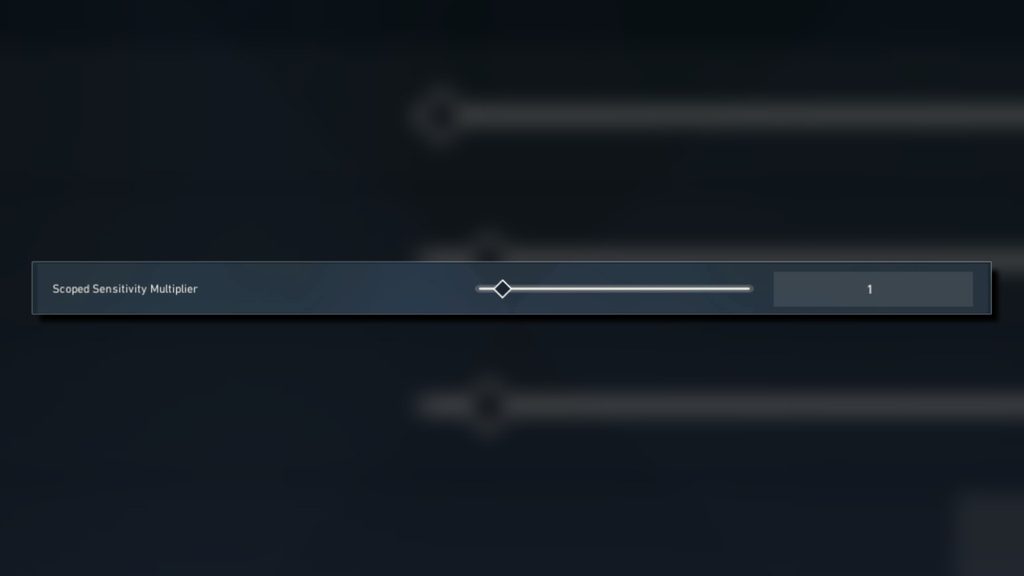
Changing scoped sensitivity multiplier settings in VALORANT. Image credit: Riot Games
Keep it at 1.0 for a consistent feel when using scopes like the Operator or Guardian. This helps maintain the same muscle memory when switching between scoped and unscoped aim.
Polling Rate
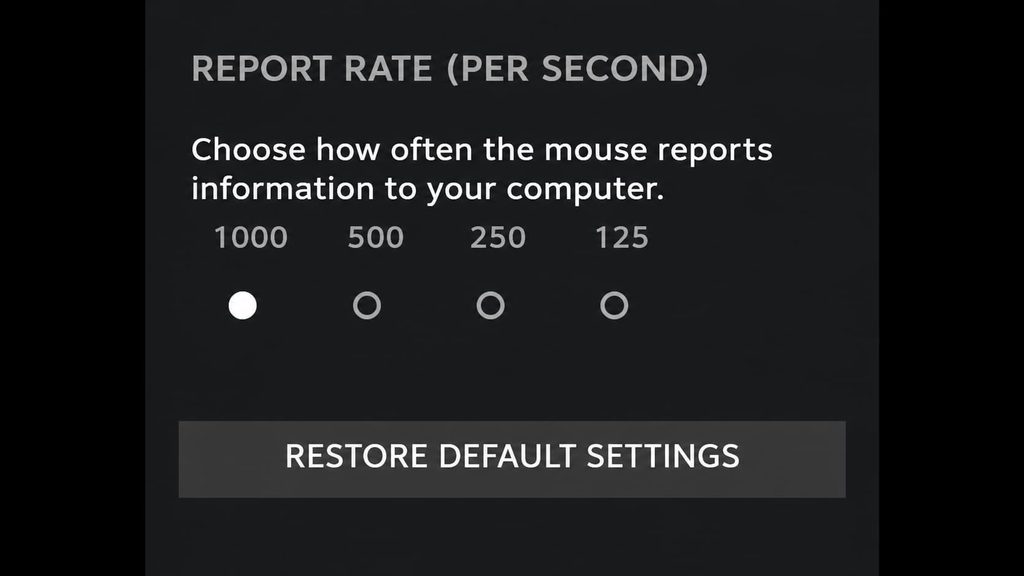
Modifying polling rate/report speed in Logitech Gaming software. Image credit: Riot Games
We recommend setting it to 1,000 Hz or higher. However, some budget gaming mice do not support such high polling rates. In that case, 500 Hz works just fine, too. If you don’t know what it does, the mouse basically sends signals to your computer, reporting its position to the game multiple times per second.
A higher polling rate allows your mouse to report its position more frequently which makes movement feel smoother. A very low polling rate, on the other hand, can negatively affect your aim.
Mouse Pad Size
If you can, use a large mouse pad, especially if you play on low sensitivity as you will need to lift and reposition your mouse multiple times. Also, remember to clear your desk of unnecessary objects like your phone and keys to ensure you have enough space throughout a competitive match. We recommend using a control-type mouse pad but that ultimately comes down to personal preference.
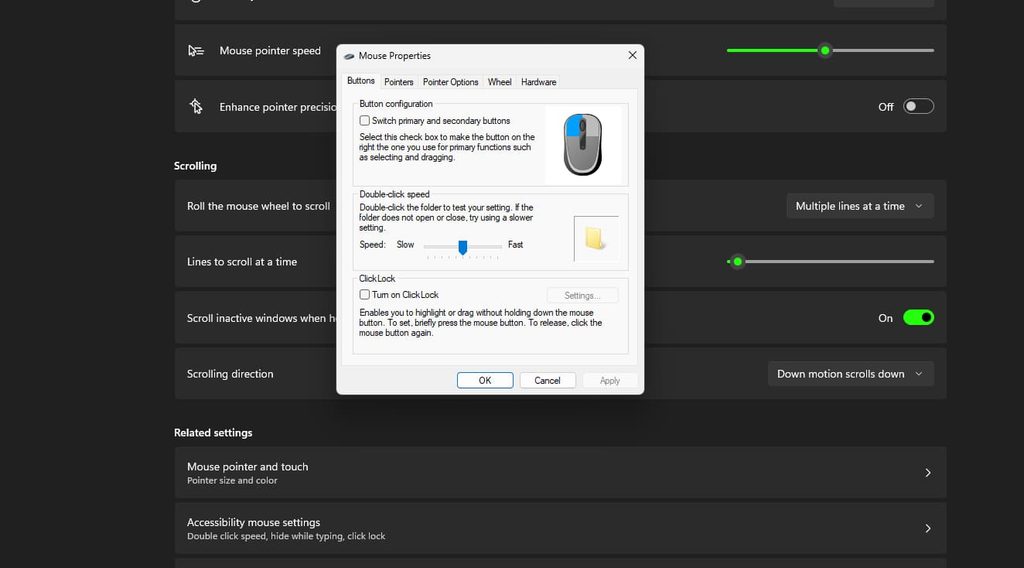
Windows Pointer Speed
Changing mouse pointer settings in Windows 11. Image credit: Microsoft
Simply leave it at 6/11 (the middle setting), as anything else can introduce unwanted scaling.
Agent Variations
Before we end this section, it’s important to keep in mind that your agent and role matter, too. Here’s how we think about it:
Duelists (Jett, Reyna, Raze): You can slightly increase your sensitivity as it can help with fast peeks and entry fights.
Sentinels and anchors (Cypher, Killjoy): The lower sensitivity range listed above can help you hold angles with a steadier crosshair.
Operator players: Similar to Sentinels, if you primarily play as a sniper, lower sensitivity can help you land long-range shots with confidence.
That said, we don’t recommend changing your sensitivity for every agent. Instead, pick one setup and learn it well because consistency beats constant tweaking. The same goes for your crosshair, too.
Common Sensitivity Mistakes to Avoid in VALORANT
It is no secret that many players blindly copy the settings of professional players, especially the hugely popular VALORANT star TenZ. Players with a strong understanding of the game can easily adapt to new settings but the average player will likely only get average results. This is because professional players have different hand sizes, desk setups and thousands of hours of practice. Their settings should serve as a starting point, not a final answer.
We want to reiterate once again that consistency is the key in every game and VALORANT is no different. If you keep changing your sensitivity after every round just because you’re bottom-fragging, it’s only going to make things worse. Instead, choose a configuration that works for you and spend time mastering it.
Our Personal Take on the Best Sensitivity Settings to Use
If you asked us to pick one setup for a new player, we would recommend 800 DPI and 0.35 sensitivity (280 eDPI).
It’s nothing flashy that you can use to create eye-catching content for your YouTube videos but it’s steady and leaves room to adjust in either direction if you want to flex on your friends by top-fragging or, at the very least, win a nail-biting match.
We also believe that practice matters more than the numbers themselves because a player at 300 eDPI who warms up for 15 minutes every day will outperform someone with “perfect” settings who never trains, since sensitivity only removes obstacles while your habits do the rest.
Our aim feels best when we are rested and relaxed, so sit comfortably, loosen your grip and let your arm do the work instead of tensing your shoulders which can ruin your precision.
Sensitivity is only one part of getting better at Valorant. Once your aim feels steady, the next step is knowing how each gun behaves and when to buy it. If you want to learn how to use every Valorant weapon, our full weapon guide updated for 2026 covers everything you need to know.




 VALORANT