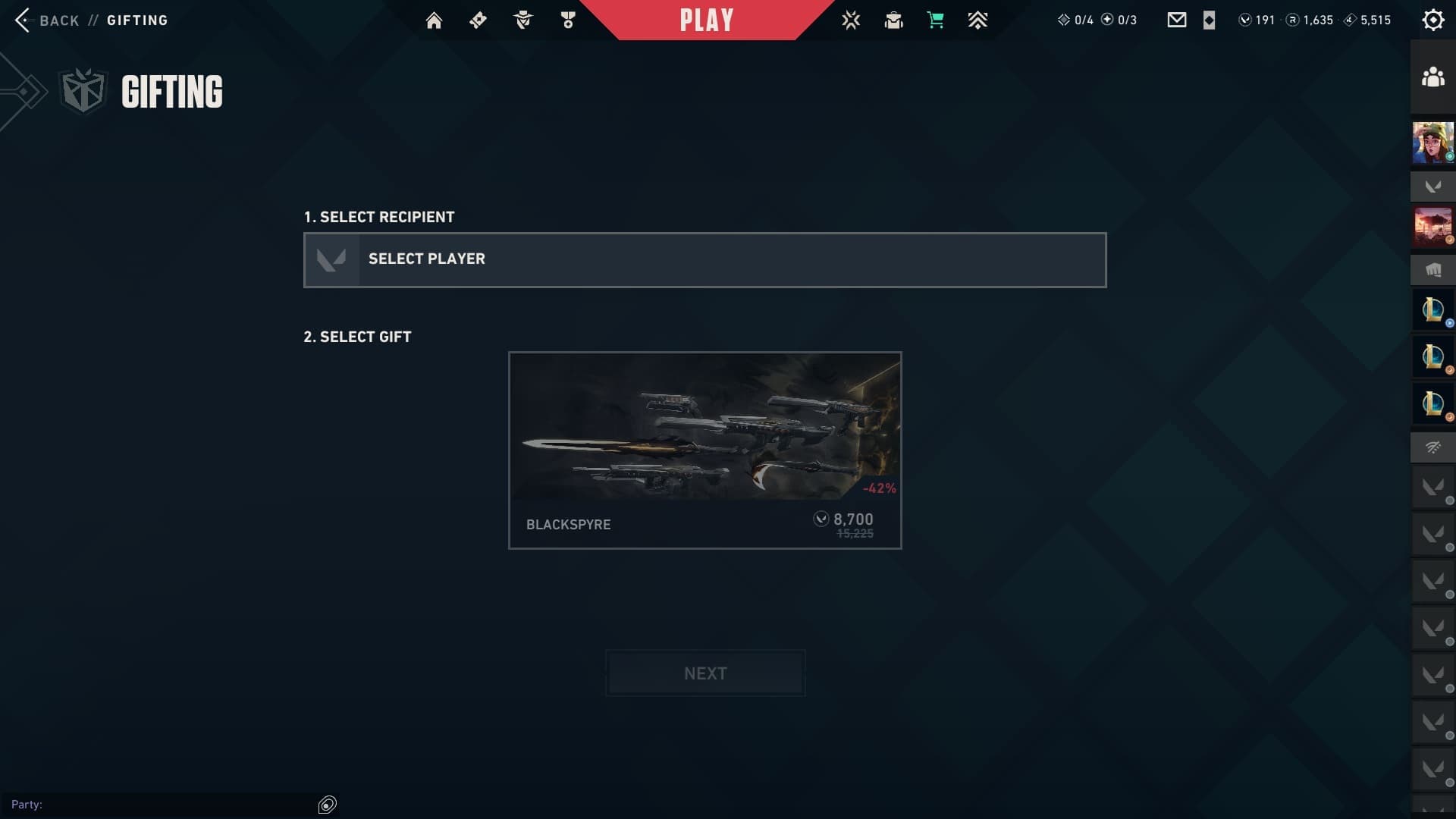
This is the screen that lets you gift VALORANT skins. Image Credits: Riot Games via in-game screenshot
Have you ever wanted to gift VALORANT skins to your favorite duo? Now you can, and here’s a handy guide to help. Let’s walk through the entire VALORANT gifting process step-by-step, including how to gift items, how to accept a VALORANT gift, and how to redeem gift cards and gift codes.
Can You Gift VALORANT Skins to Other Players?
The short answer is: yes, you can gift skins to other players in VALORANT. In addition, you can sometimes gift entire bundles.
The VALORANT gifting feature is relatively new. It arrived in the game in the Patch 10.08 update, which launched in April 2025. Since then, it has also received some updates and become easier to find in the game’s UI.
What Items are Eligible?
It’s important to note that not all VALORANT items are eligible for gifting. You may not be able to gift individual skins, or single cosmetic items. You also can’t gift the Battlepass or other limited-time event collections.
How to Redeem VALORANT Gift Cards and Gift Codes
If you want to give a friend an item that doesn’t work with the gifting feature, you might want to consider a VALORANT gift card instead. They’re available at multiple retailers, but will usually cost more than the actual amount your friend will receive.
You can redeem a VALORANT gift card code in the in-game currency store. Image Credits: Riot Games via in-game screenshot
You can redeem a VALORANT gift card at Riot Games’ code redemption page after logging into your preferred account. You can also just do it in-game by clicking on your VALORANT Points status (V-shaped logo) in the top right of the screen. This should open up a payment option screen. Click on the ‘Prepaid Cards and Codes’ option, write your gift card code in the box, and press ‘submit.’ The credits should immediately appear in your VALORANT account.
How to Gift VALORANT Skins in 2026
VALORANT players can gift skins to each other in the game’s Shop. Image Credits: Riot Games via in-game screenshot
New UI features make it easier than ever to gift VALORANT skins to your friends. First, open the game and head to the ‘Store’ tab, which has the little shopping cart icon at the top middle of the screen.
Here, you should see several banners with ‘Featured’ bundles. For example, the Blackspyre Bundle is in our example image. On the bottom right of each banner, you’ll see a gift icon, which looks like a little gift box. This is to the right of the regular ‘purchase’ box.
This is the screen that lets you gift VALORANT skins. Image Credits: Riot Games via in-game screenshot
Next, follow these steps to gift a friend a VALORANT item:
Click on the Gift icon.
A ‘Select Player’ box will appear. Click on this box.
This opens a list of your friends and teammates. Select the friend you want to gift the skin to.
If multiple options appear below it in the ‘Select Gift’ screen, pick the bundle you want to give to your friend.
Press the ‘Next’ screen.
This will take you to a confirmation page. Make sure you have enough VALORANT Points (VP) in your account to pay for the items. You can also click on a ‘price breakdown’ here, so you can see how much every individual item in the set costs.
If you don’t have enough VP in your inventory, a ‘Buy VP’ option will appear. If you do, you will see a purchase option. Continue with the purchase and your friend should immediately receive the gift, alongside a notification.
How to Claim a Gift in VALORANT
Once your recipient logs in to their VALORANT account, they should receive a pop-up notification. This message will say, ‘You’ve received a gift from [Player Name].”
The player will have an option to accept or decline the gift. If they decline it, the sender should be refunded. If they accept, the transaction will go through, and the purchase will add the skins to the giftee’s account. A ‘Gift Received’ screen will pop up.
It’s important to claim your VALORANT gift within 60 days, or the transaction will automatically decline.
Can I Refund a Gift in VALORANT?
You can get a refund for a gift in VALORANT, but only under very specific conditions. You will only get a gift refund if your recipient does not claim the gift in over 60 days.
In addition, there are other scenarios that prevent VALORANT from issuing refunds. Some items are non-refundable:
You cannot refund item upgrades.
You cannot refund items that you have used in-game.
You cannot refund Premium battlepasses.
Check VALORANT’s Refund Policy for more information.
How to Request a Refund in VALORANT
If you want to request a refund for a VALORANT purchase, you should make sure your situation fits all of the refund requirements. Next, you will need to submit a ticket with VALORANT’s Riot Games support. Here’s the link to do so. You can also request that Riot refund purchases made without your consent, for example, if you got hacked or a family member got into your account.
You can refund:
Individual guns and items that you haven’t used or upgraded
VALORANT Points (VP) purchases that you haven’t spent
Riot should answer your ticket soon, providing you with a decision and reasoning for why you will or won’t get your refund.
It’s important to note that having a pending gift (a gift sent out to a friend who has not claimed it yet) will stop all refund processes. Also, bundles are non-refundable.
Stay tuned for more VALORANT esports and in-game news.



 VALORANT
