
 CS2
fl0m’s iBUYPOWER Masters FML 2026: Schedule, Teams, How to Watch
Here’s everything CS2 esports fans should know about fl0m’s iBUYPOWER Masters FML 2026, including its teams, format, and how to watch.
19 Sept 20262 min
CS2best CS2 resolutionConfused about 4:3 vs 16:9 aspect ratio in CS2? Learn how each resolution works and why professional players use stretched 4:3.
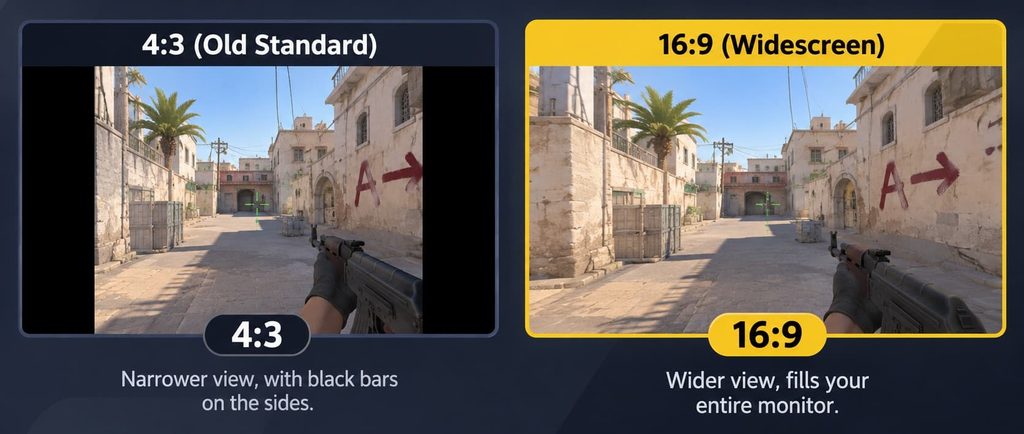
Comparison of 4:3 vs 16:9 aspect ratio in Counter-Strike 2 (CS2). Image credit: Valve
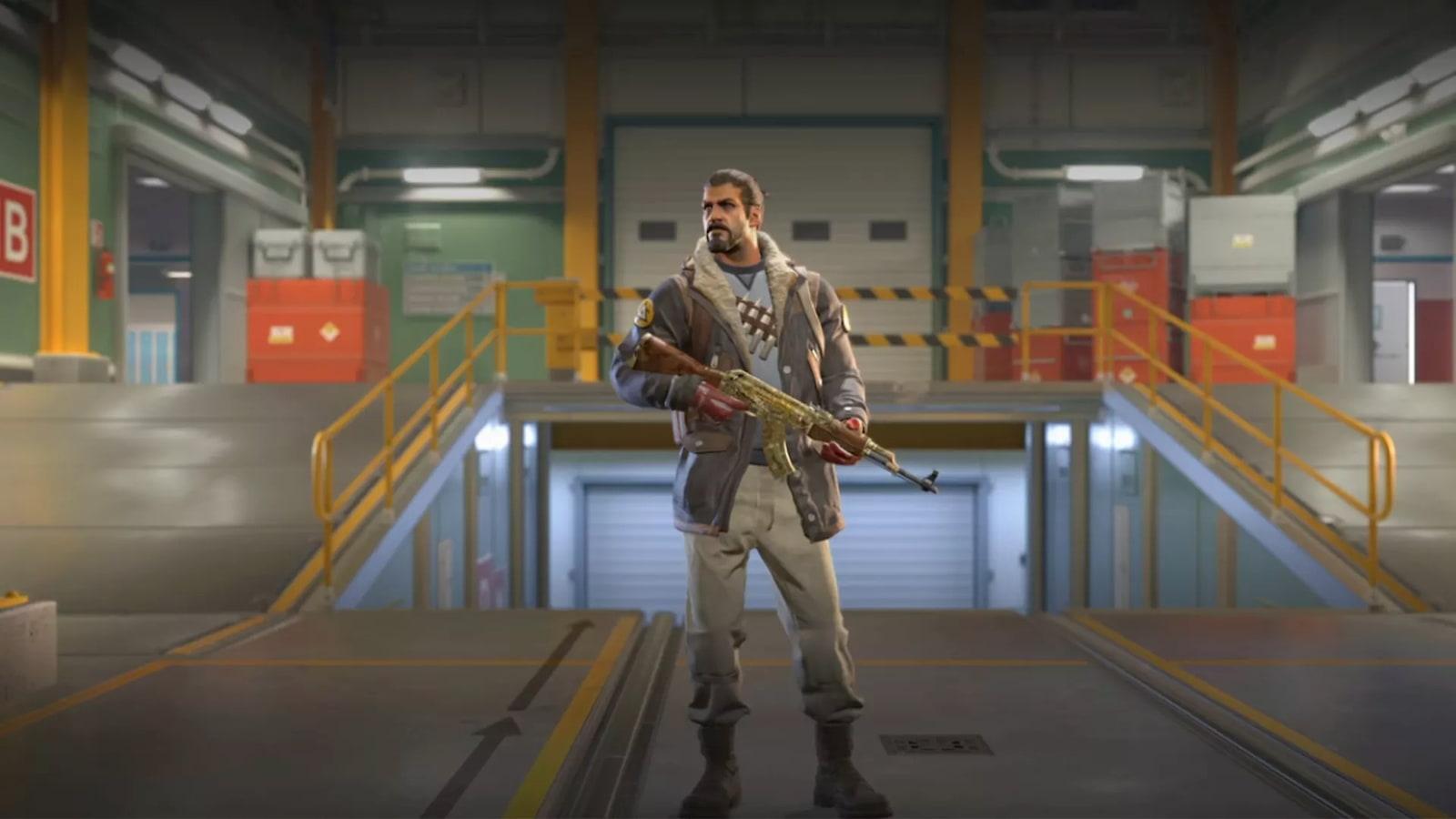
If you have ever watched a professional Counter-Strike 2 match, you may have noticed something odd: many of the world’s best players have fat, wide-looking enemy models on their screens. That is not a glitch. It is a deliberate choice called a stretched 4:3 aspect ratio in CS2. But is it actually better than the standard 16:9 setting most gamers use? Let’s break it down.
Before comparing the popular aspect ratio of CS2, it helps to understand two simple terms.
Resolution is the number of tiny dots (pixels) that make up the picture on your screen. More pixels usually means a sharper image. Examples include 1920×1080 and 1280×960.
Aspect ratio, on the other hand, is the shape of your picture, a comparison between its width and its height. Think of it like the shape of a photo frame.
So when we talk about 4:3 vs 16:9 in CS2, we are really asking: should the game be shaped like a wide movie screen or like an old-school square-ish frame?
This is the default for almost every modern gaming monitor. Common 16:9 resolutions include 1920×1080 (Full HD), 2560×1440 (QHD) and 3840×2160 (4K).
A 4:3 resolution, such as 1280×960 or 1024×768, is squarer. There are two ways to use it.
The first method is black bars, which keeps the original aspect ratio and adds black bars on both sides of the screen in CS2. The picture appears smaller and centered.
The second option is stretched resolution, which gives you a squarer picture stretched to fill your entire widescreen monitor. This is what most pros use. Everything looks wider, making enemies appear chunkier and easier to hit. Think of it like zooming into a photo and then pulling it wider. You lose a bit of the side view, but the targets look bigger.
A large share of top Counter-Strike professionals play on stretched 4:3, and this habit goes back many years to earlier versions of the game.
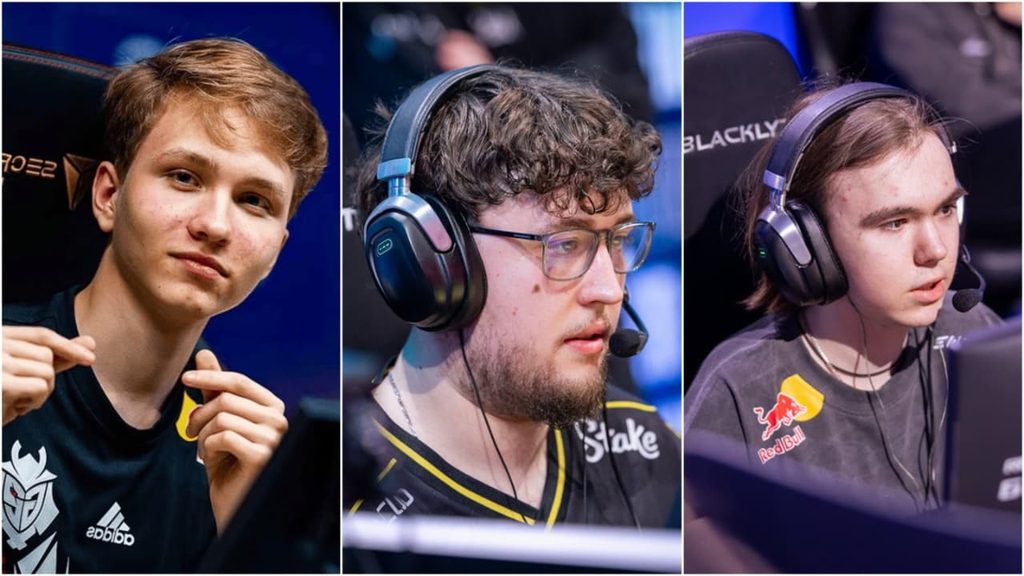
Many pros simply grew up with it and never changed. Others genuinely prefer the larger targets and extra FPS. Some of the biggest names in the game are a good example. Young AWP star Ilya “m0NESY” Osipov plays on a stretched 1280×960 screen with a very thin crosshair. The stretching makes enemy models look wider, which helps him line up pixel-perfect shots.
French superstar Mathieu “ZywOo” Herbaut and Team Spirit‘s explosive young talent Danil “donk” Kryshkovets also play 4:3. Even Nikola “NiKo” Kovač, one of the best aimers ever, tried a regular widescreen setup. After his performance dipped, he quickly went back to the setup he was comfortable with. For many pros, stretched 4:3 is simply what keeps them consistent.
But here is the important part: pros use it because it suits them, not because it is magic. Plenty of elite players still use 16:9. Professional players also practice for thousands of hours, so copying their settings will not automatically make you better.
There is no single correct answer, but here are some tips to make a wise choice.
Choose 16:9 if you have a strong PC and want the best visuals. It also suits players who like seeing more of the map around them, and beginners who just want to start playing without fiddling with settings. Choose stretched 4:3 if you have a lower-end PC and need extra FPS. It is also worth a try if you find it hard to hit small, thin enemy models, or if you want to test what many pros use and see whether it clicks for you.
If you’re still confused, you can follow this simple plan for a week:
The 4:3 vs 16:9 debate comes down to comfort and personal preference, not a secret trick that guarantees wins. Stretched 4:3 offers bigger targets and better FPS, while 16:9 gives you a wider view and a sharper picture. Both are completely valid for climbing the ranks or competing in tournaments.
The best resolution is the one that helps you feel relaxed, see enemies clearly and play consistently. Test both, trust your own eyes and stick with what feels right. Ultimately, practice, game sense and teamwork will matter far more than the shape of your screen.
CS2Here’s everything CS2 esports fans should know about fl0m’s iBUYPOWER Masters FML 2026, including its teams, format, and how to watch.
 CS2
Here’s everything to know about the 2026 Thunderpick World Championship Finals, including its schedule, format, prize pool, and more.
 CS2
Let’s recap everything about the BLAST Bounty Summer 2026 Finals, including which teams to watch, the main storylines, and how to tune in.